The whole chain, and Tomodachi
Two things the plain run.sh --payload path does not give you: a boot that starts where the device
starts, and something nicer than a QEMU window to drive.
Tomodachi, the companion app
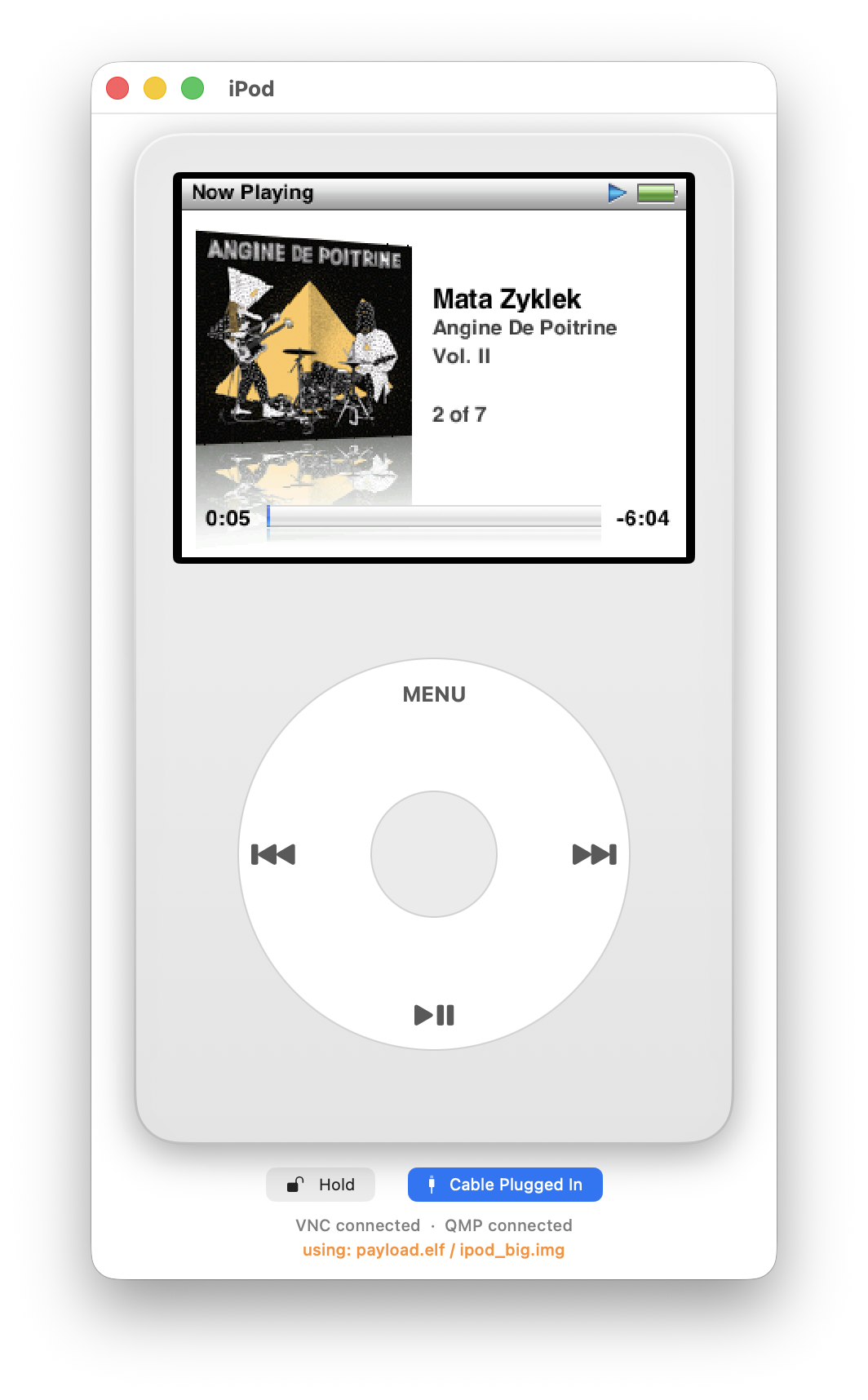
tomodachi/ is a small macOS app (SwiftUI, built with XcodeGen from project.yml) that runs the
machine for you and draws it as an iPod:
- it launches
qemu-ipod/tools/run.pyheadless and takes the panel over RFB, so the framebuffer is live rather than screenshotted; - QMP and the monitor are separate clients, which is how input, savestates and shutdown go in;
- the wheel is a real wheel: a trackpad scroll bridge turns two-finger motion into notches, and the drawn wheel takes clicks on MENU, the transport caps and the centre button;
- the two switches the machine actually has are switches here: Hold, and Cable Plugged In, which is the power/data source the PMU reports - the input half of the low-battery and disk-mode paths;
- the footer says what is connected (VNC, QMP) and which payload and disk image are running, which is the one thing a stale-artifact bug never tells you;
- settings mirror
run.py's own flags one for one (disk, payload, icount shift, warp, writable, debug channels, USB socket, gdb port) - the app types the command line you would have typed; - a debug view shows the machine's own traffic logs.
It finds the checkout through IPOD_RE_ROOT, or by walking up from its own bundle. It is a
developer tool for this repository, not a product.
Booting the real chain
cd qemu-ipod
./run_secure_boot.sh                                  # builds everything, fresh disk, boots
DISK=.../sb_disk_retailos.img ./run_secure_boot.sh    # the control: Apple's own RetailOS
ONB_DEBUG_UART=1 ./run_secure_boot.sh                 # the ONB's own UART, off by default as on the device
This is reset → boot ROM → NOR read → verify → decrypt → ONB → BDS → OS, all of it ours except the
disk. Use --shift 7 --warp: the ONB's waits are Stall() busy-loops on a timer read and run at a
fifth of real time at the default shift.
Our own CA, and why it is needed
Apple's chain cannot be joined. The root of trust is a fixed SHA-1 digest in mask ROM - no fuse, no field, nothing a real device can be made to accept a different key for. So the reproduced boot ROM swaps that digest for Chikuma's own, and the whole X.509 chain becomes ours:
firmware/chikuma_ca (its own git repo, kept out of the main tree) is a root mirroring Apple's
RSA-2048, an RSA-1024 intermediate and leaf, SHA-1 signatures throughout, and the 9-byte
01 FB 01 FB… serials the ROM hard-compares. bootstrap.sh regenerates the chain from the
committed keys without ever replacing one - the leaf key signs the image, so a new key invalidates
anything already signed.
The emulator's hardware keys
Signing is only half of it: the container is also encrypted, and Apple's format encrypts under a key that lives in silicon. The real GID/UID keys are unknowable and stay that way.
So the machine's AES model carries Chikuma's own hardware-key material for key selectors 1 and
2, from firmware/chikuma_ca/keybag.json (gitignored; the C header is generated from it, never
hand-typed). Three rules hold it in place:
- it is off by default, behind the
CHIKUMA_SECURE_BOOTenvironment variable - a runtime gate, because a compile-time one shipped briefly and silently compiled the whole path out while every "live boot" test still reported success; - it must never activate for a build emulating real Apple firmware, where a non-zero key selector staying inert is the only correct behaviour;
IV = 0, matching every measured real hardware-key job this project has traced - Chikuma's container format follows the same convention deliberately, so the reproduced ROM's generic header-MAC and body-decrypt sequence needs no changes at all to work against these keys.
The ONB is encrypted under selector 2, which is the selector Apple's own ONB container uses.
What that buys, and what it does not
It makes the recovery paths workable. A container that fails its check drops to the boot ROM's DFU recovery, and BDS's no-OS path draws the restore screen and powers the device off - both now reachable on demand, from an image we built, with the ONB's UART available to say which of "the loader never jumped" and "the loader jumped and the image died" happened.
What it does not buy is a device. Chikuma's CA is an emulator capability: a real S5L8702 will refuse everything signed with it, because its root of trust is the digest in its mask ROM. Putting Chikuma on real hardware is a different problem, and On the device is where it lives.