Chikuma's own features
Most of Chikuma reproduces Apple's firmware. The features on this page are additions: the original iPod never had them, and Chikuma brings them in.
Each one is declared OURS, in the code where it lives and here, so nobody mistakes an addition for a recovery. Where it can, each one is built the way the firmware builds its own features, with screens that come from the resource archive.
With no settings file on the volume, every feature here is off, and the device behaves exactly as the original does.
A dark skin OURS
Settings > Display > Appearance offers Light, Dark, or Auto.
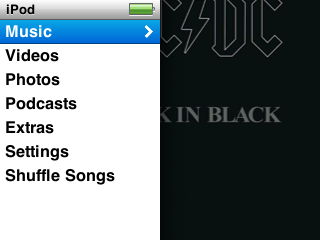
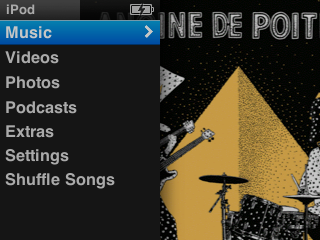
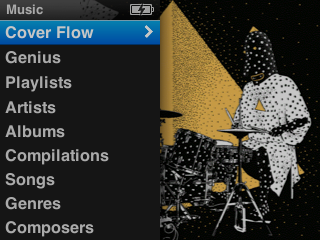
The firmware ships already half of a dark skin, as paired resources a screen chooses between. There is a black status bar beside the white one, black option-bar caps and transport glyphs, and Now Playing's dark colour set beside its light one. Why the dark skin is mostly data has the details.
The menus have no dark pair, so Chikuma supplies the rest as data, in two sections added to the archive:
| Section | What it does |
|---|---|
| Colours | gives each named colour a dark twin, chosen by the colour's role (a background, a text colour, a highlight), and takes Apple's own black half wherever the firmware has one |
| Pictures | gives a picture either a dark twin of its own or an inverted palette, for the many images that have none |
Neither section changes anything while the light skin is on. Flipping the skin rebuilds Home, so the change is immediate.
Auto reads the clock before it picks, and follows sunrise and sunset at the device's location (below).
Night Shift OURS
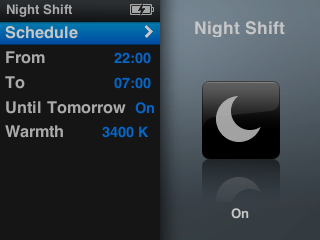
Settings > Display > Night Shift warms the screen in the evening, modelled on the Mac's.
| Setting | Choices |
|---|---|
| Schedule | Off, Custom (a From and To time), or Sunset to Sunrise |
| Until Tomorrow | turns it on or off now, until the schedule's next change |
| Warmth | 4500, 4000, 3400, 3000 or 2700 K |
The display pipe already passes every window through a per-channel gamma table on its way to the panel. Warming the screen only scales the green and blue tables, so it covers every screen, film and game at no cost per frame.
The colour temperatures are blackbody white points, normalised so the panel's own white stays untouched. The interpolation between them and the fade in and out both run on the mired scale, on which equal steps look equally warmer.
Location and sun times OURS
Auto appearance and Sunset to Sunrise need to know where the iPod is, and the original has no idea. Its World Clock table carries a city's name, its time zone and a pin on the map, and nothing more.
The home city
By default the location is the time-zone city already chosen in Date & Time. Coordinates for all 205 of the firmware's cities were generated from the Mac's own city database, matched by name.
The map pins are the check. They are a plain projection, so a city whose coordinates do not fit its pin fails the generator.
A custom place
A latitude and longitude picker, in degrees and arc-minutes, covers anywhere that is not one of those cities.
The sun
The device computes sunrise and sunset itself, from a standard low-precision solar position, to about a hundredth of a degree.
The iPod's CPU has no floating point, so the computation is integer only. Angles are binary fractions of a turn, and sines come from CORDIC.
Screens authored into the archive OURS
The Display screens are not built in code. They are records in the resource archive, cloned from the firmware's own Settings records with their named fields edited. The same machinery lays them out, draws them and navigates them as every screen Apple shipped.
A small overlay carries them alongside the image's archive, with ids chosen just above the ones the image uses. Their strings exist in all twenty of the firmware's languages, and the pickers open on the stored choice, as the firmware's own pickers do.
The settings themselves live in a 20-byte file of Chikuma's on the volume, apart from Apple's preferences file. That preferences file is a byte-exact image of the firmware's settings object, and new keys in it would collide with fields nobody has read yet.
The resource archive and Display and UI explain how the overlay is packed.
Elsewhere on the site
Smaller additions, each declared OURS where it is described:
- iAP 2, the accessory protocol current car head units speak, which this firmware never had: Accessories.
- Volume buttons on a headset the original reads none from: Accessories.
- An HFS+ journal writer and formatter: Storage.
- Leaving disk mode on a host command, and a few device-information answers with no source in the image: USB and disk mode.